

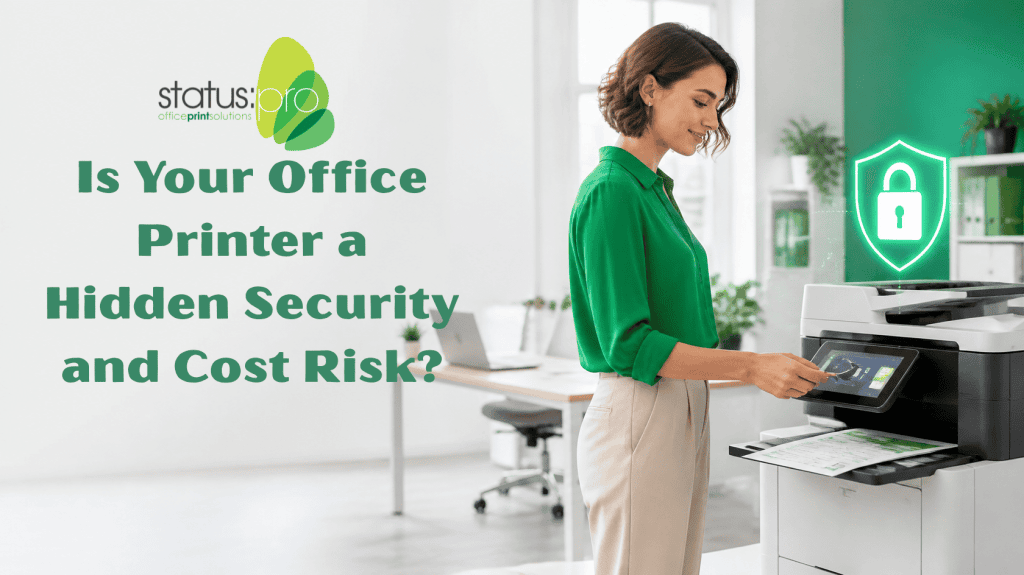
Most businesses lock down their computers and email accounts. The office printer, on the other hand, often sits in the corner with very little oversight.
Yet your multifunction device handles invoices, contracts, payroll reports, and customer records every single day. Documents pile up in the output tray, print jobs go unchecked, and few businesses know exactly how much they’re spending on paper and toner each month.
An unmanaged print environment creates two quiet problems at once: confidential information is easier to expose, and costs are harder to control.
For growing businesses across Mackay, the Whitsundays, and the Coalfields, tightening up how printing is managed is one of the simplest ways to protect sensitive information and reduce waste.
The Output Tray Is an Open Door
When a document is sent to print, it usually comes out straight away, whether or not the person who sent it is standing at the device.
That means a payroll report, customer contract, or financial statement can sit in the tray where anyone walking past can pick it up. In a busy office, it’s easy to forget a print job, and in a shared space, it’s easy for the wrong person to see it.
Common ways printing exposes information include:
- Confidential documents left uncollected in the output tray
- Print jobs collected by the wrong person
- Sensitive pages mixed in with someone else’s printouts
- Forgotten jobs that print hours later
- Stored scans and jobs that are never cleared from the device
These are small oversights, but for businesses that handle client or staff information, they can have serious consequences.
Unmanaged Printing Quietly Drains Your Budget
Security isn’t the only concern. When nobody has visibility over printing, waste goes unnoticed.
A few unnecessary colour copies or duplicate print jobs may not seem like much. But across a whole team, week after week, they add up to a significant ongoing cost.
Without clear reporting, it’s difficult to answer basic questions such as:
- Who is printing the most, and what are they printing?
- How much of our printing is colour when it doesn’t need to be?
- Which devices are being overused or underused?
- Where are paper and toner being wasted?
- What is printing really costing each department?
You can’t reduce costs you can’t see.
Secure Release Printing Keeps Documents Private
One of the most effective ways to close the gap is secure release printing.
Instead of printing immediately, a job is held until the person who sent it logs in at the device, using a card, PIN, or login. Only then does the document print.
The benefits are immediate:
- Confidential documents stay protected because they only print when the owner is present
- Less wasted paper and toner because jobs that are never collected never print
- Flexibility for staff who can release their work at any compatible device
- A cleaner, tidier print area with fewer forgotten pages
For many offices, it’s a small change that makes a noticeable difference to both security and running costs.
Visibility Leads to Better Decisions
Print management software such as PaperCut gives businesses a clear view of what’s happening across their print environment.
With the right reporting in place, you can see usage by user, department, and device, and then use that information to make practical decisions.
Depending on how it is set up, print management can help you:
- Track and report on printing, copying, and scanning activity
- Set sensible rules, such as defaulting to double-sided or black-and-white
- Allocate print costs to the right departments or clients
- Identify devices that are overworked or no longer suit your needs
- Support secure release printing across multiple devices
Once the numbers are visible, managing printing becomes far easier, and far less guesswork.
Small Habits Make a Big Difference
Technology helps, but everyday habits matter too. A few simple steps can lower both risk and running costs without slowing your team down.
Practical steps worth putting in place include:
- Setting double-sided and black-and-white printing as the default
- Collecting documents straight away, and never leaving sensitive pages in the tray
- Keeping device software and firmware up to date
- Clearing stored jobs and scans from devices regularly
- Limiting who can access device settings and address books
- Reviewing your print environment as the business grows
None of these changes require a major overhaul, but together they build a more secure and efficient office.
How Status Pro Helps Secure Your Print Environment
For more than 30 years, Status Pro has helped businesses across Mackay, the Whitsundays, and the Coalfields keep their print and document systems reliable.
We don’t just supply devices. We help you choose, install, and manage the right print environment for your business, with local support that responds quickly when you need it.
Our services include:
- Quality multifunction devices from trusted brands including HP, Sharp, OKI, and Ricoh
- PaperCut print management for tracking, reporting, and secure printing
- Managed print solutions tailored to your business
- Professional installation and setup
- Preventative maintenance and servicing
- Responsive local technical support
- Flexible purchase and rental options
With more than 55 years of combined industry experience, our team is focused on helping your business protect its information and get the most from its print environment.
Do You Know What Your Printers Are Really Costing You?
If confidential documents are left in the tray, print costs keep creeping up, or nobody can say who is printing what, it may be time for a closer look.
Status Pro can review your current print environment and recommend practical ways to improve security, reduce waste, and gain control over your printing costs.
📞 (07) 4953 1005
📧 sales@statuspro.net.au
📍 2/16 Transport Ave, Paget QLD 4740
🕐 Mon–Fri: 8:00am – 5:00pm
Book a Print Environment Review
Status Pro — Making printing easy! Dedicated to providing professional support for your office machines and printing needs, ensuring your business operates efficiently.